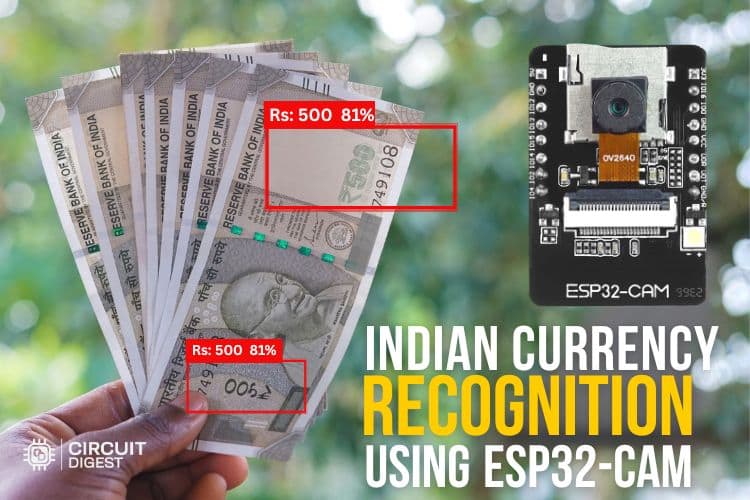
Currency Detection
Detect and identify Indian currency notes in any image. High-performance AI recognition for retail POS and IoT camera projects.
Get Started in Minutes
Start sending IoT notifications in just a few simple steps
1
Create Account
Sign up for free, no credit card required
2
Get API Key
Generate your API key from the dashboard
3
Upload Currency Image
POST a photo of Indian notes for AI recognition
4
Get Detection Results
Receive annotated images and recognition status
Try API
Test the Currency Detection directly from your browser
API Key:
cd_xxxxxxxxxxxxxxxxxxxxCurrency Image
Upload Image
Upload an image for analysis. Use a clear, well-lit photo for best results.
Click or drag & drop
JPG, PNG up to 5MB
10%
Minimum detection confidence lower values catch faint notes but may increase false positives
Result
No result yet
Upload an image and run the test to see the annotated output
1#!/usr/bin/env python3
2"""
3Indian Currency Detection - CircuitDigest Cloud
4-----------------------------------------------
5Sends an image to the cloud API and prints detected denominations.
6
7Install: pip install requests
8"""
9import requests
10
11API_URL = "https://www.circuitdigest.cloud/api/v1/currency-detection/detect"
12API_KEY = "YOUR_API_KEY"
13
14def detect_currency(image_path: str) -> dict:
15    with open(image_path, "rb") as img:
16        response = requests.post(
17            API_URL,
18            headers={"X-API-Key": API_KEY},
19            files={"imageFile": img},
20            timeout=30,
21        )
22    response.raise_for_status()
23    return response.json()
24
25def main():
26    result = detect_currency("notes.jpg")
27
28    if result["status"] == "success":
29        print(f"Detection successful!")
30        print(f"Annotated Image: {result['annotated_image_url']}")
31    else:
32        print(f"Error: {result.get('message', 'Unknown error')}")
33
34if __name__ == "__main__":
35    main()
Tutorials
Learn how to integrate with step-by-step guides