Face Detection
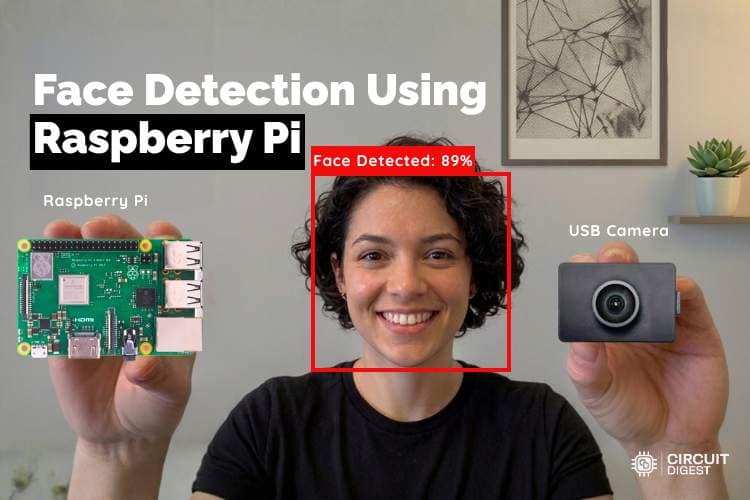
Detect and count human faces in any image. Locate each face with a bounding box and confidence score. Ideal for crowd counting, attendance systems, and occupancy monitoring using ESP32-CAM or Raspberry Pi.
100 scans/monthView Docs
Get Started in Minutes
Start sending IoT notifications in just a few simple steps
1
Create Account
Sign up for free, no credit card required
2
Get API Key
Generate your API key from the dashboard
3
Upload Image
POST an image to /api/v1/face-detection/detect
4
Get Face Count
Receive face count, bounding boxes, and confidence per face
Try API
Test the Face Detection directly from your browser
API Key:
cd_xxxxxxxxxxxxxxxxxxxxImage with Faces
Upload Image
Upload an image for analysis. Use a clear, well-lit photo for best results.
Click or drag & drop
JPG, PNG up to 5MB
40%
Min detection confidence
Result
No result yet
Upload an image and run the test to see the annotated output
1#include "esp_camera.h"
2#include <WiFi.h>
3#include <WiFiClientSecure.h>
4
5const char* WIFI_SSID = "YOUR_WIFI_SSID";
6const char* WIFI_PASS = "YOUR_WIFI_PASSWORD";
7const char* API_KEY = "YOUR_API_KEY";
8const char* serverName = "www.circuitdigest.cloud";
9const char* serverPath = "/api/v1/face-detection/detect";
10const int serverPort = 443;
11
12#define TRIGGER_BTN 13
13#define PWDN_GPIO_NUM 32
14#define RESET_GPIO_NUM -1
15#define XCLK_GPIO_NUM 0
16#define SIOD_GPIO_NUM 26
17#define SIOC_GPIO_NUM 27
18#define Y9_GPIO_NUM 35
19#define Y8_GPIO_NUM 34
20#define Y7_GPIO_NUM 39
21#define Y6_GPIO_NUM 36
22#define Y5_GPIO_NUM 21
23#define Y4_GPIO_NUM 19
24#define Y3_GPIO_NUM 18
25#define Y2_GPIO_NUM 5
26#define VSYNC_GPIO_NUM 25
27#define HREF_GPIO_NUM 23
28#define PCLK_GPIO_NUM 22
29
30WiFiClientSecure client;
31unsigned long lastTrigger = 0;
32
33void initCamera() {
34  camera_config_t cfg = {};
35  cfg.ledc_channel = LEDC_CHANNEL_0; cfg.ledc_timer = LEDC_TIMER_0;
36  cfg.pin_d0 = Y2_GPIO_NUM; cfg.pin_d1 = Y3_GPIO_NUM;
37  cfg.pin_d2 = Y4_GPIO_NUM; cfg.pin_d3 = Y5_GPIO_NUM;
38  cfg.pin_d4 = Y6_GPIO_NUM; cfg.pin_d5 = Y7_GPIO_NUM;
39  cfg.pin_d6 = Y8_GPIO_NUM; cfg.pin_d7 = Y9_GPIO_NUM;
40  cfg.pin_xclk = XCLK_GPIO_NUM; cfg.pin_pclk = PCLK_GPIO_NUM;
41  cfg.pin_vsync = VSYNC_GPIO_NUM; cfg.pin_href = HREF_GPIO_NUM;
42  cfg.pin_sscb_sda = SIOD_GPIO_NUM; cfg.pin_sscb_scl = SIOC_GPIO_NUM;
43  cfg.pin_pwdn = PWDN_GPIO_NUM; cfg.pin_reset = RESET_GPIO_NUM;
44  cfg.xclk_freq_hz = 20000000;
45  cfg.pixel_format = PIXFORMAT_JPEG;
46  cfg.frame_size = FRAMESIZE_VGA;
47  cfg.jpeg_quality = 10;
48  cfg.fb_count = 1;
49
50  if (esp_camera_init(&cfg) != ESP_OK) {
51    Serial.println("Camera init failed!"); while (1);
52  }
53
54  sensor_t* s = esp_camera_sensor_get();
55  s->set_brightness(s, 1);
56  s->set_contrast(s, 1);
57  s->set_saturation(s, 0);
58  s->set_whitebal(s, 1);
59  s->set_exposure_ctrl(s, 1);
60  s->set_gain_ctrl(s, 1);
61  Serial.println("Camera ready.");
62}
63
64void countFaces() {
65  Serial.println("Photo captured! Sending to API...");
66  // Warm-up frames
67  for (int i = 0; i < 3; i++) {
68    camera_fb_t* fb = esp_camera_fb_get();
69    esp_camera_fb_return(fb);
70    delay(200);
71  }
72  // Real frame
73  camera_fb_t* fb = esp_camera_fb_get();
74  if (!fb) { Serial.println("Capture failed"); return; }
75
76  if (!client.connect(serverName, serverPort)) {
77    Serial.println("Connection failed"); esp_camera_fb_return(fb); return;
78  }
79
80  String boundary = "----ESP32Boundary";
81  String head = "--" + boundary + "
82Content-Disposition: form-data; name="imageFile"; filename="snap.jpg"
83Content-Type: image/jpeg
84
85";
86  String tail = "
87--" + boundary + "--
88";
89  int contentLen = head.length() + fb->len + tail.length();
90
91  client.println("POST " + String(serverPath) + " HTTP/1.1");
92  client.println("Host: " + String(serverName));
93  client.println("X-API-Key: " + String(API_KEY));
94  client.println("Content-Type: multipart/form-data; boundary=" + boundary);
95  client.println("Content-Length: " + String(contentLen));
96  client.println("Connection: close");
97  client.println();
98  client.print(head);
99  client.write(fb->buf, fb->len);
100  client.print(tail);
101  esp_camera_fb_return(fb);
102
103  // Wait & read response
104  long t = millis();
105  while (!client.available()) { if (millis() - t > 15000) { client.stop(); return; } }
106
107  String res = "";
108  while (client.available()) res += (char)client.read();
109  client.stop();
110
111  // Extract JSON
112  int j = res.indexOf("
113
114");
115  String json = (j != -1) ? res.substring(j + 4) : res;
116  Serial.println("Response: " + json);
117
118  // Parse face count
119  int faceIdx = json.indexOf(""face_count":");
120  int faceCount = 0;
121  if (faceIdx != -1) {
122    faceCount = json.substring(faceIdx + 13, faceIdx + 15).toInt();
123  }
124  Serial.println("Faces detected: " + String(faceCount));
125
126  if (faceCount == 0) Serial.println("Status: No faces detected.");
127  else if (faceCount == 1) Serial.println("Status: 1 person detected.");
128  else Serial.println("Status: " + String(faceCount) + " persons detected.");
129}
130
131void setup() {
132  Serial.begin(115200);
133  pinMode(TRIGGER_BTN, INPUT_PULLUP);
134  initCamera();
135  client.setInsecure();
136
137  WiFi.begin(WIFI_SSID, WIFI_PASS);
138  Serial.print("Connecting to WiFi");
139  while (!WiFi.isConnected()) { delay(500); Serial.print("."); }
140  Serial.println("
141Connected: " + WiFi.localIP().toString());
142}
143
144void loop() {
145  if (digitalRead(TRIGGER_BTN) == LOW && millis() - lastTrigger > 500) {
146    lastTrigger = millis();
147    Serial.println("Button pressed! Capturing image...");
148    countFaces();
149  }
150}
Tutorials
Learn how to integrate with step-by-step guides