Object Detection
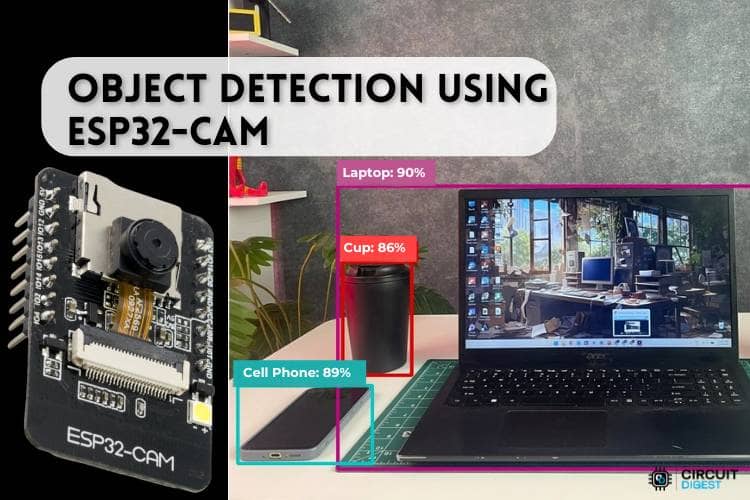
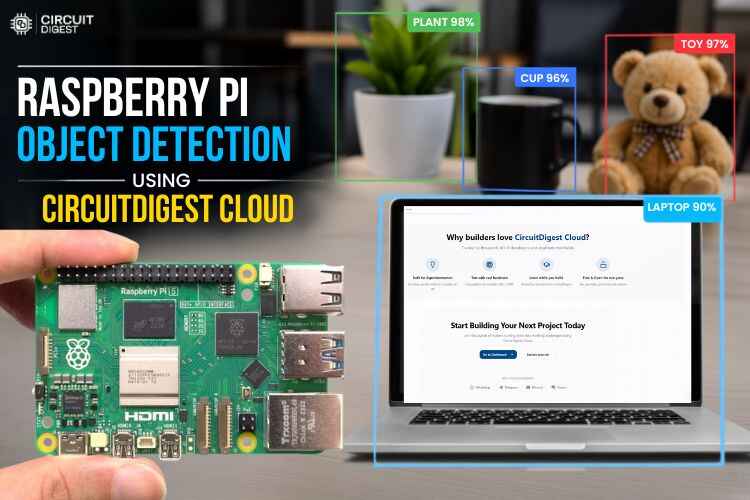
Detect multiple objects in any image using our cloud AI service. Get class labels, confidence scores, and bounding boxes for every object found ideal for ESP32-CAM, Raspberry Pi, and any IoT camera.
Get Started in Minutes
Start sending IoT notifications in just a few simple steps
1
Create Account
Sign up for free, no credit card required
2
Get API Key
Generate your API key from the dashboard
3
Upload Image
Send any photo for multi-object detection
4
Get Detections
Receive objects with labels, confidence & bounding boxes
Try API
Test the Object Detection directly from your browser
API Key:
cd_xxxxxxxxxxxxxxxxxxxxImage
Upload Image
Upload an image for analysis. Use a clear, well-lit photo for best results.
Click or drag & drop
JPG, PNG up to 5MB
40%
Min detection confidence
Result
No result yet
Upload an image and run the test to see the annotated output
1import cv2
2import requests
3import time
4import os
5import sys
6
7os.environ['DISPLAY'] = ':0'
8
9SERVER_URL = "https://www.circuitdigest.cloud/api/v1/object-detection/detect"
10API_KEY    = "YOUR_API_KEY"
11CLASSES    = "[]"
12CONFIDENCE = "0.2"
13
14MODE = "auto"
15AUTO_INTERVAL = 5
16
17cap = cv2.VideoCapture(0)
18cap.set(cv2.CAP_PROP_FRAME_WIDTH, 640)
19cap.set(cv2.CAP_PROP_FRAME_HEIGHT, 480)
20
21if not cap.isOpened():
22    print("Camera not found! Check USB camera connection.")
23    sys.exit()
24
25print("Camera initialized.")
26print(f"Running in [{MODE}] mode")
27
28if MODE == "keyboard":
29    print("Press SPACE to capture | Press ESC to quit")
30elif MODE == "auto":
31    print(f"Auto capturing every {AUTO_INTERVAL} seconds | Press ESC to quit")
32elif MODE == "ssh":
33    print("Auto capturing every 5 seconds | Press Ctrl+C to quit")
34
35def send_image_to_api(frame):
36    for _ in range(3):
37        cap.read()
38    ret, frame = cap.read()
39    if not ret:
40        print("Capture failed")
41        return
42
43    _, img_encoded = cv2.imencode('.jpg', frame, [cv2.IMWRITE_JPEG_QUALITY, 90])
44    img_bytes = img_encoded.tobytes()
45
46    headers = { "X-API-Key": API_KEY }
47    files   = { "imageFile": ("photo.jpg", img_bytes, "image/jpeg") }
48    data    = { "classes": CLASSES, "confidence": CONFIDENCE }
49
50    try:
51        print("
52Sending to Object Detection API...")
53        response = requests.post(SERVER_URL, headers=headers,
54                                 files=files, data=data, timeout=15)
55
56        if response.status_code == 200:
57            result = response.json()
58
59            # ? Fixed encoding issue
60            safe_response = response.text.encode('utf-8', errors='replace').decode('utf-8')
61            print("Response:", safe_response)
62
63            count = result.get("detection_count", 0)
64            print(f"Objects detected: {count}")
65
66            for det in result.get("detections", []):
67                label = det.get("class_name") or det.get("class", "unknown")
68                conf  = det.get("confidence", 0)
69                # ? Fixed encoding for label too
70                safe_label = str(label).encode('utf-8', errors='replace').decode('utf-8')
71                print(f"  - {safe_label} ({conf:.2f}%)")
72        else:
73            print(f"HTTP error: {response.status_code}")
74
75    except requests.exceptions.Timeout:
76        print("Request timed out!")
77    except Exception as e:
78        print(f"Error: {str(e).encode('utf-8', errors='replace').decode('utf-8')}")
79
80if MODE == "ssh":
81    try:
82        while True:
83            ret, frame = cap.read()
84            if ret:
85                print("
86Auto capturing...")
87                send_image_to_api(frame)
88            time.sleep(AUTO_INTERVAL)
89    except KeyboardInterrupt:
90        print("Stopped by user.")
91    finally:
92        cap.release()
93
94else:
95    last_capture_time = 0
96
97    while True:
98        ret, frame = cap.read()
99        if not ret:
100            print("Failed to grab frame")
101            break
102
103        cv2.imshow("Camera - SPACE: capture | ESC: quit", frame)
104
105        key = cv2.waitKey(1) & 0xFF
106
107        if MODE == "keyboard":
108            if key == 32:
109                print("
110Capturing image...")
111                send_image_to_api(frame)
112
113        elif MODE == "auto":
114            current_time = time.time()
115            if current_time - last_capture_time >= AUTO_INTERVAL:
116                last_capture_time = current_time
117                print("
118Auto capturing...")
119                send_image_to_api(frame)
120
121        if key == 27:
122            print("Quitting...")
123            break
124
125    cap.release()
126    cv2.destroyAllWindows()
Tutorials
Learn how to integrate with step-by-step guides